
Just say it
"Spent 6.25 at the coffee shop." MyFinly records the amount, merchant and category — with one-tap Undo.
AI-powered personal finance assistant
Tell MyFinly what you spent — by text, voice or a receipt photo. Ask anything about your money in plain English. Get clear answers and a dashboard that finally makes sense.
Designed for iPhone and Android · 7-day free trial for eligible new subscribers
Meet MyFinly
No spreadsheets, no endless forms. MyFinly understands everyday language, keeps your records tidy and answers questions about your spending in seconds.
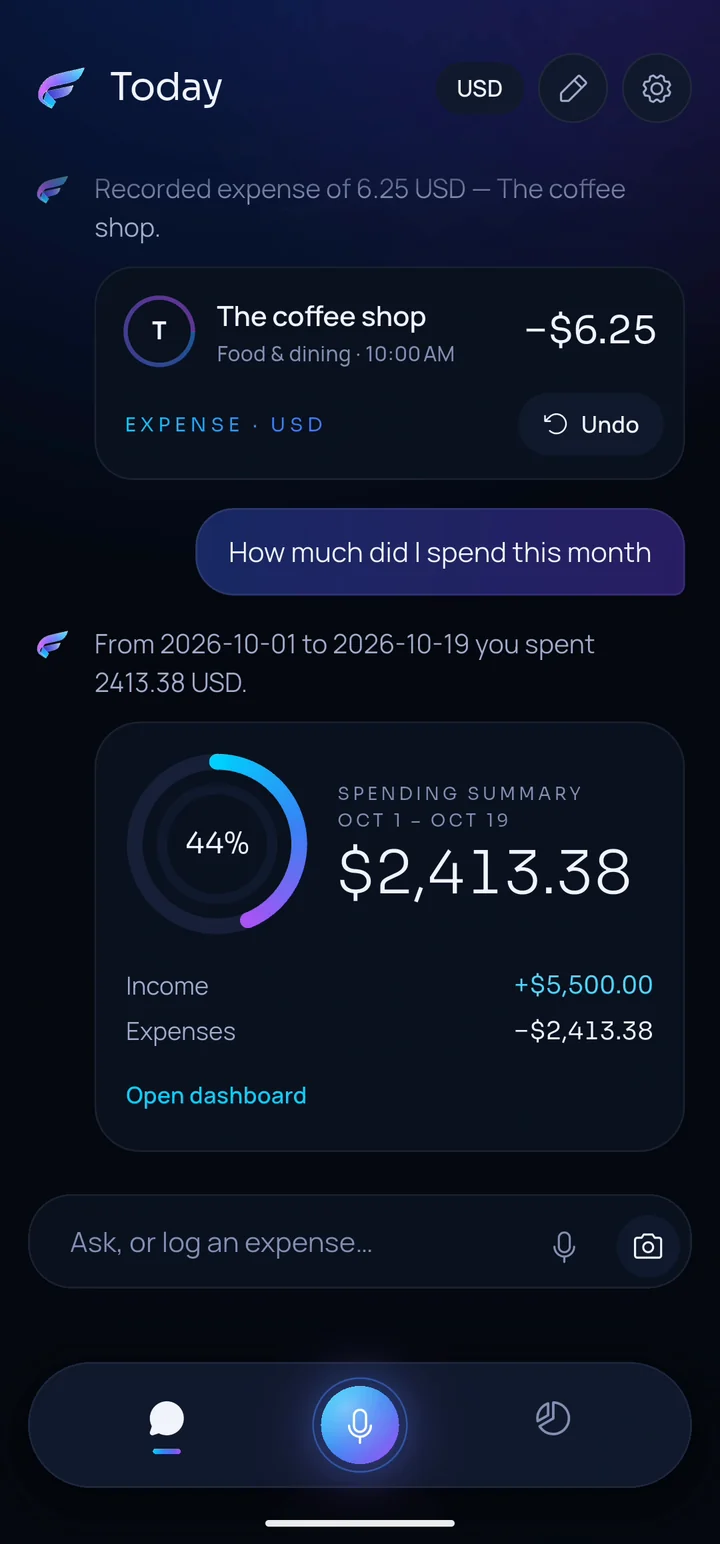
"Spent 6.25 at the coffee shop." MyFinly records the amount, merchant and category — with one-tap Undo.
"How much did I spend this month?" Get a clear summary of income, expenses and where your money went.
"Remember that I get paid on the 5th." MyFinly saves helpful context — and you can see, undo or clear it anytime.
See it in action
This is how a conversation with MyFinly looks, recreated from the app with sample data. Every expense is confirmed on screen, and nothing is deleted or changed without your OK.
 TodayUSD
Recorded expense of 6.25 USD — The coffee shop.
From Oct 1 to Oct 19 you spent $2,413.38.
Got it, I saved that to memory.
Saved to memory · UndoRecorded expense of 18.00 EUR — Lunch.
Recreated from real MyFinly screens · sample data
Log it your way
Capture an expense the moment it happens, however is easiest right now.
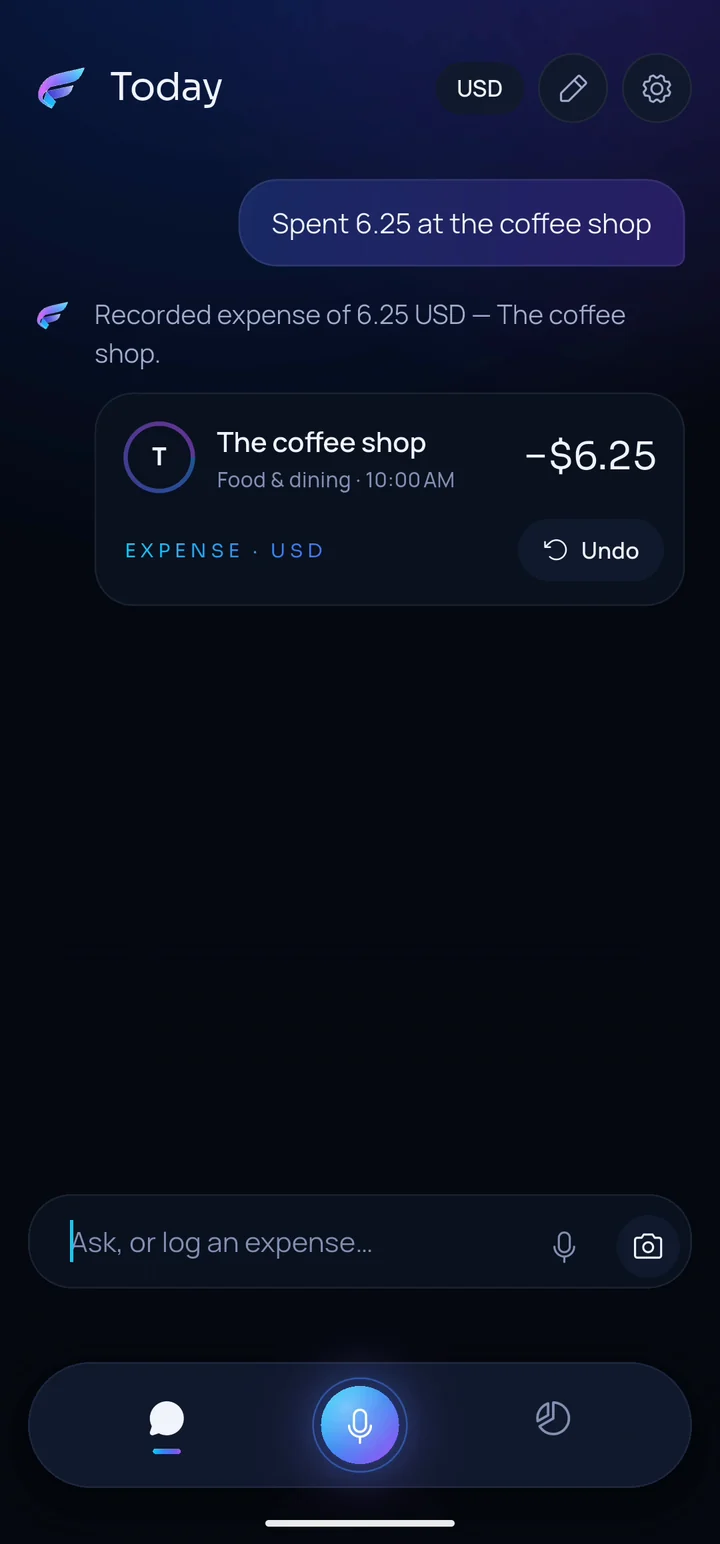
Write it the way you'd text a friend. MyFinly picks out the amount, merchant and category.
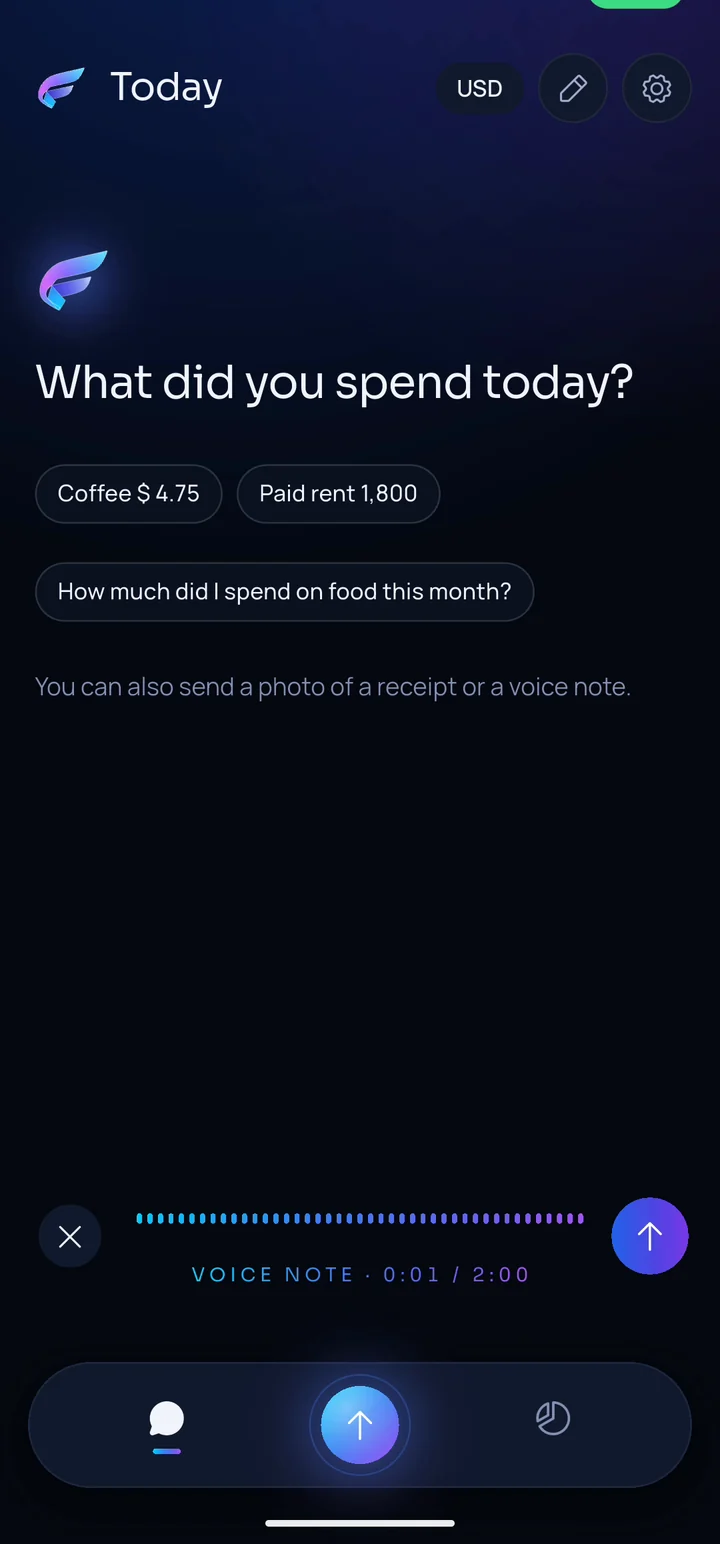
Tap the mic and talk. Your voice note is transcribed and turned into an expense for you to review.
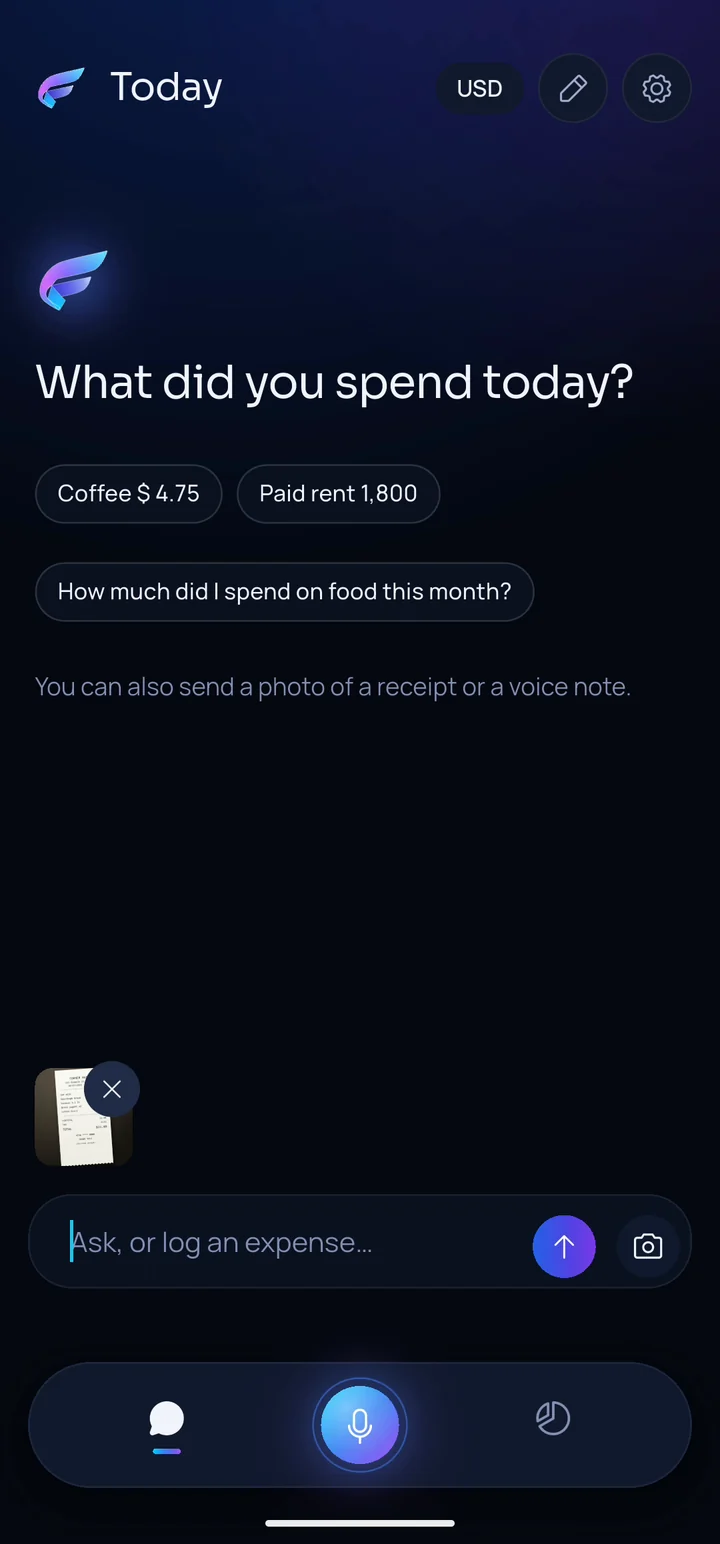
Attach a photo of your receipt. MyFinly reads it and suggests the expense — you stay in control.
Bank Sync brings your accounts into MyFinly through Plaid, the secure bank-connection network used by many popular U.S. finance apps. Transactions import automatically, and recurring payments — subscriptions, bills and price changes — come into focus on their own.
Status: built and validated in Plaid's testing environment, and pending activation in production. Bank Sync isn't active in the app yet — everything else on this page is.
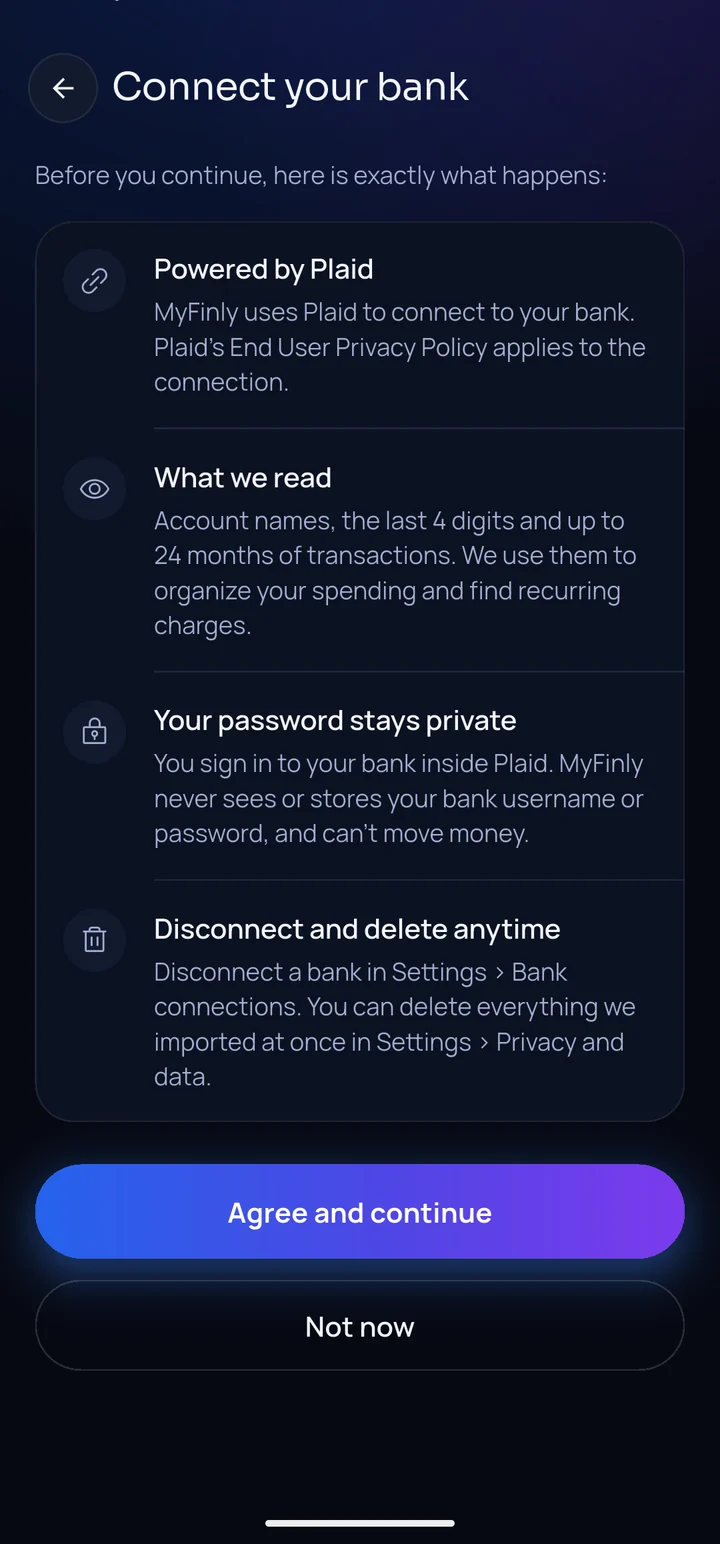
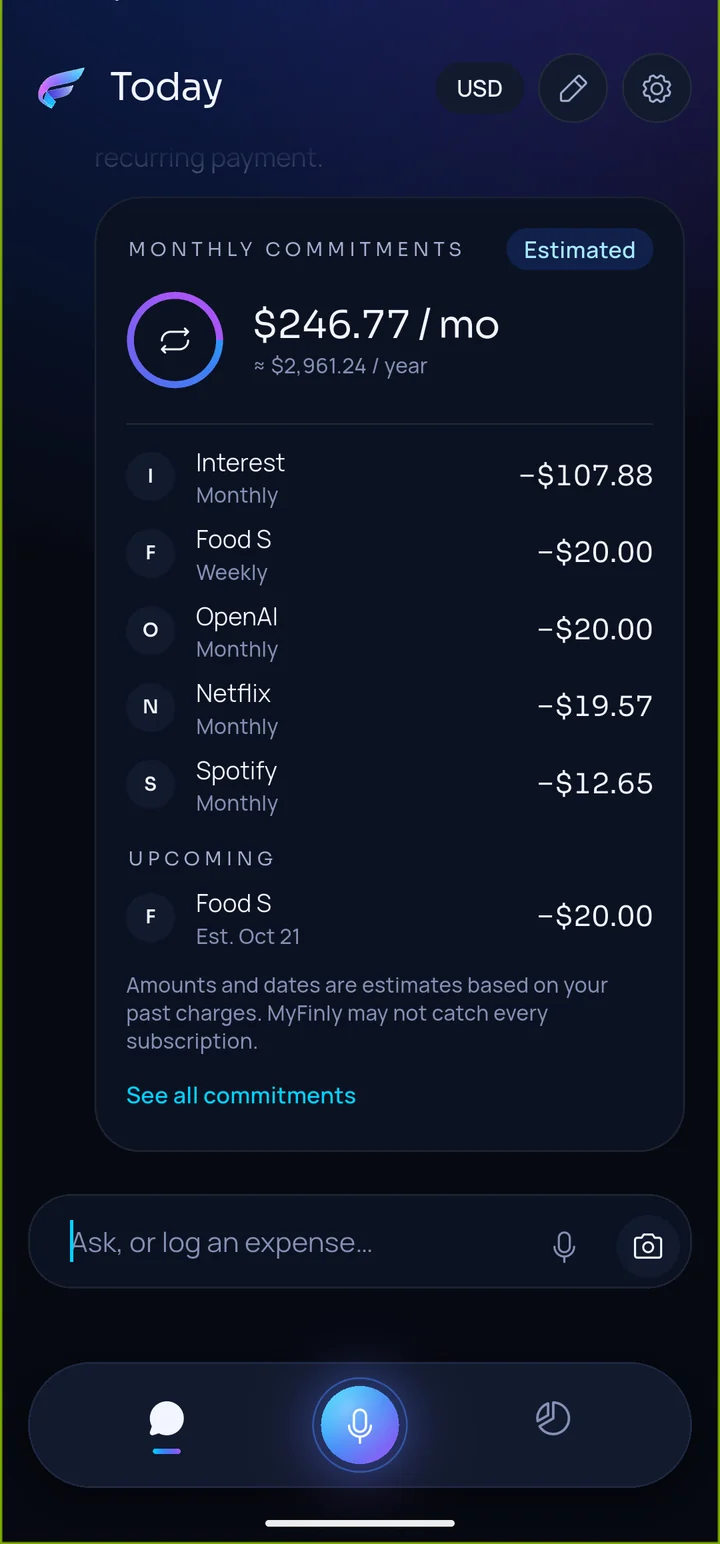
Bank Sync in the MyFinly app · Plaid Sandbox test data
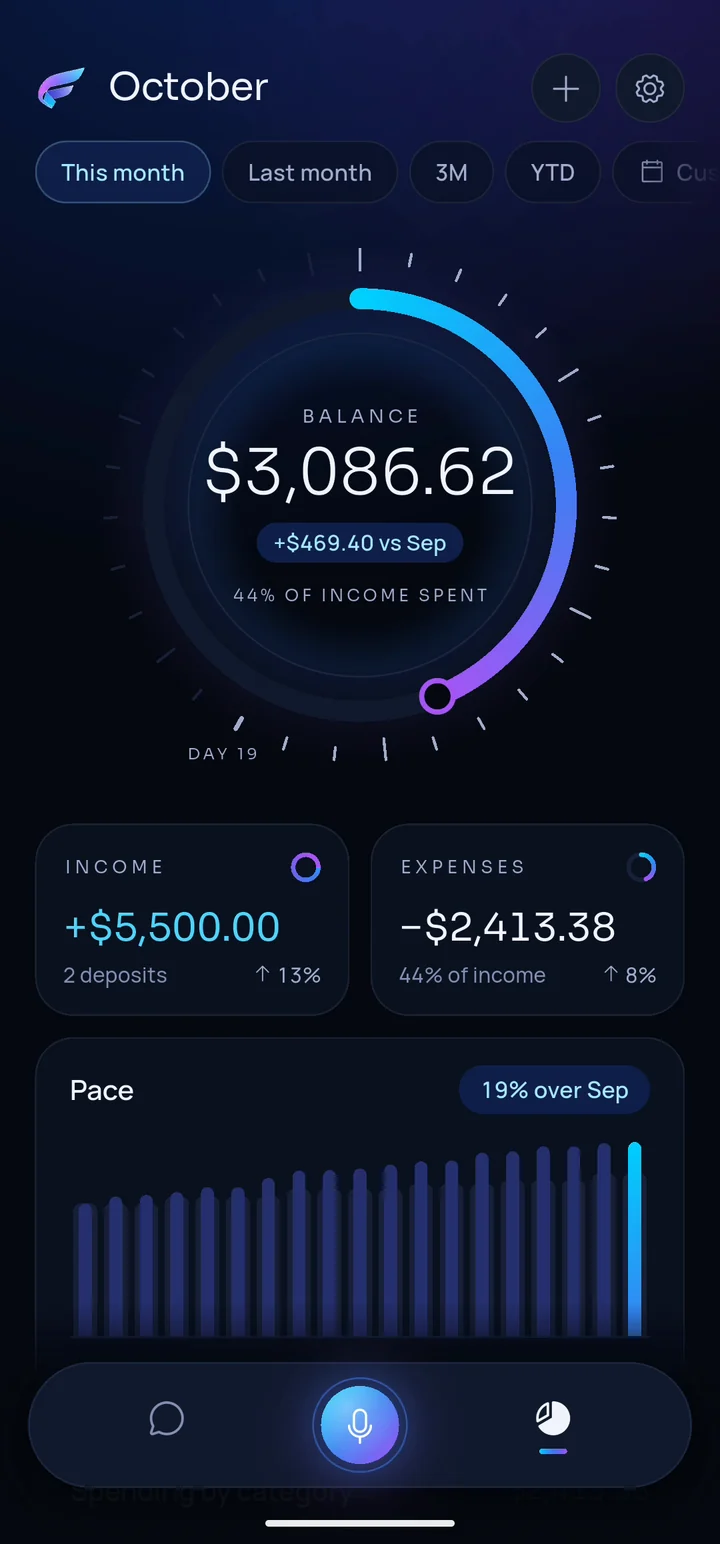
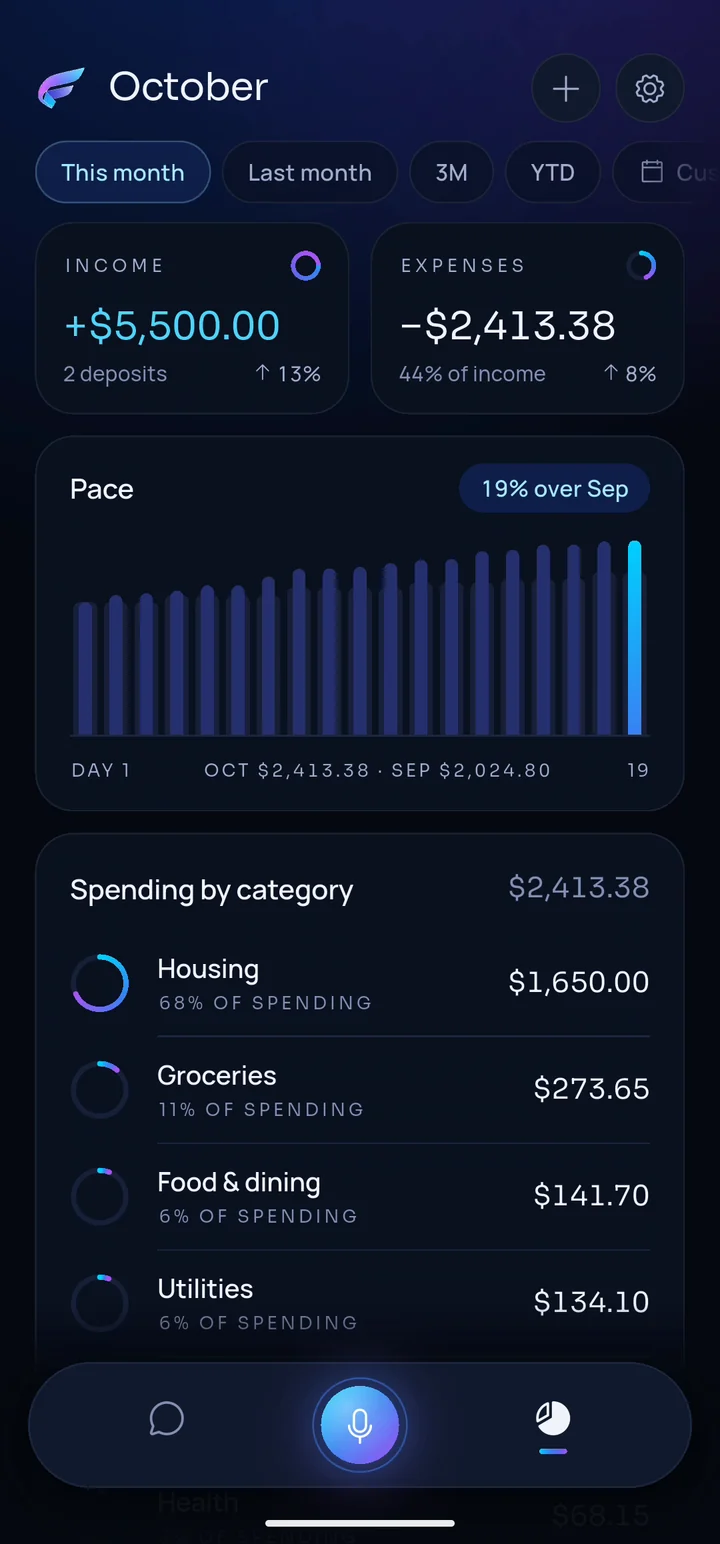
The Órbita dashboard
Everything you logged comes together in one calm, beautiful view.
How it works
Type, talk or snap a receipt whenever you spend or get paid.
Amounts, merchants, categories and currencies are recorded for you — and you can undo with one tap.
Ask questions in plain English and watch your month come together in the Órbita dashboard.
Pricing
Start with a 7-day free trial if you're eligible. Cancel anytime in your App Store or Google Play account.
$12.99/month
Billed monthly
Choose Monthly$93.99/year
Just $7.83/month, billed yearly
Choose Annual7-day free trial for eligible new subscribers only. Prices in US dollars; applicable taxes may apply and the final price is shown in the App Store or Google Play before you buy. Subscriptions renew automatically unless canceled at least 24 hours before the end of the current period. Manage or cancel anytime in your App Store or Google Play account settings. See our Terms of Use.
MyFinly is an AI-powered personal finance assistant for your phone. You tell it what you spend or earn — by text, voice or a receipt photo — and it keeps your records organized, answers questions about your money and shows everything in the Órbita dashboard.
Just type something like "Spent 6.25 at the coffee shop", tap the mic and say it, or attach a photo of the receipt. MyFinly records the amount, merchant, category and currency, and every recorded expense comes with an Undo button.
Bank Sync, powered by Plaid, is built and has been validated in Plaid's testing environment. It's pending activation in production, so it isn't active in the app yet. Once it is, your transactions will import automatically and MyFinly will surface subscriptions and recurring bills. Today, you log expenses by text, voice or receipt photo.
No. MyFinly can't make payments, transfer money or cancel subscriptions. It only helps you record, understand and organize your finances. When it suggests editing or deleting something, nothing changes until you confirm.
Your financial data can only be read by your signed-in account, and our system logs don't store amounts or descriptions. We don't sell your data and we don't use it for advertising. You can delete your account and data at any time. Read the Privacy Policy for details.
To understand your messages, voice notes and receipt photos and to write answers, MyFinly sends the needed content to our AI provider, OpenAI, through its API. Data sent through the API is not used to train OpenAI's models. Totals and summaries are calculated by our own servers, not guessed by the AI.
You can log in US dollars, euros and many other currencies. MyFinly keeps each currency separate and never adds different currencies together.
MyFinly costs $12.99/month or $93.99/year. Eligible new subscribers can start with a 7-day free trial. The final price, including any taxes, is shown in the App Store or Google Play before you buy.
Subscriptions are managed by Apple or Google. Cancel anytime in your App Store or Google Play account settings at least 24 hours before your renewal date. Deleting your MyFinly account does not cancel a store subscription.
In the app, go to Settings → Delete account. If you can't access the app, follow the steps on our account deletion page.
MyFinly is launching in the United States on iPhone and Android. Official App Store and Google Play links will be published on this page as soon as each listing is live. For launch news, follow @itsmyfinly.
U.S. launch · iPhone and Android
MyFinly is preparing its U.S. debut on the App Store and Google Play. Official download links will appear right here the moment each listing goes live, and eligible new subscribers start with a 7-day free trial.
Launch-day news, product drops and tips — first on @itsmyfinly.